
Graph all the things
analyzing all the things you forgot to wonder about
Map of Countries
2026-05-02
interests: maps, geometry, vector search
Recently I made some new map projection posters: a relatively serious map of countries version and a more satirical one. Here's the downscaled base image of the more serious one, for reference:
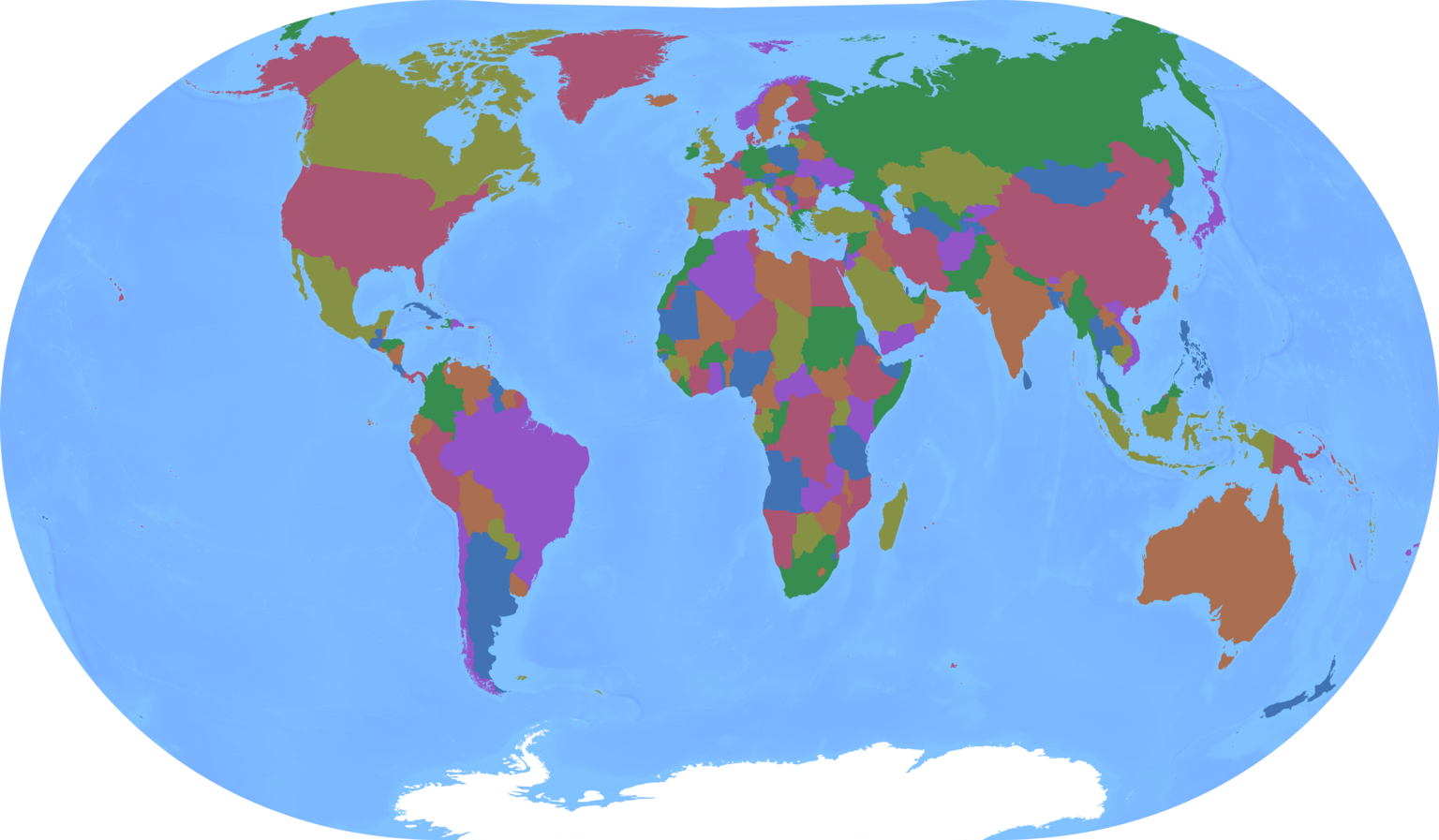
I reused a map projection I had previously made, so you might think this was a technically simple task. But it forced me to solve a fun new problem: how do you quickly find the one triangle out of a million that contains a given point?
How this comes about
The projection is composed of  triangles that get mapped from their spherical coordinates to coordinates on the plane.
The triangular lattice looks like this:
triangles that get mapped from their spherical coordinates to coordinates on the plane.
The triangular lattice looks like this:
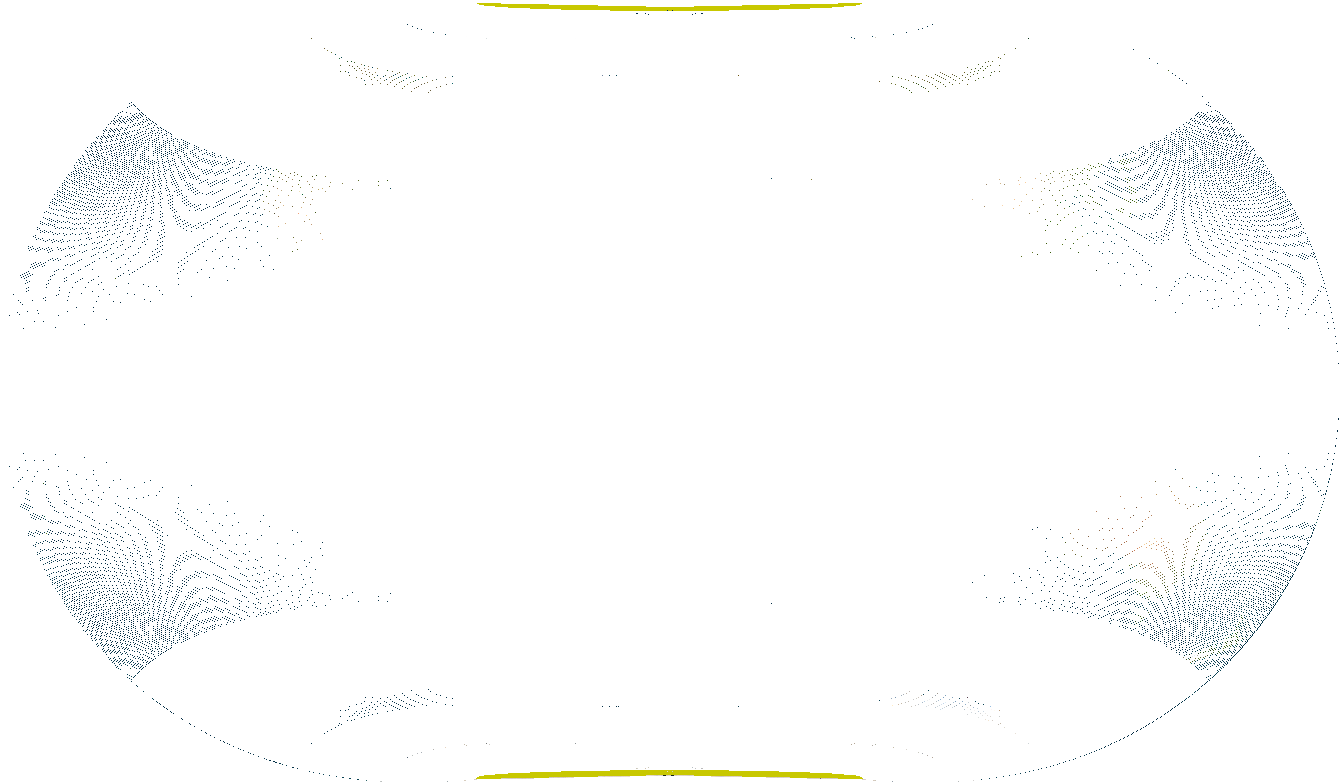
Err, let's zoom into Panama so we can actually see something other than lattice lines:
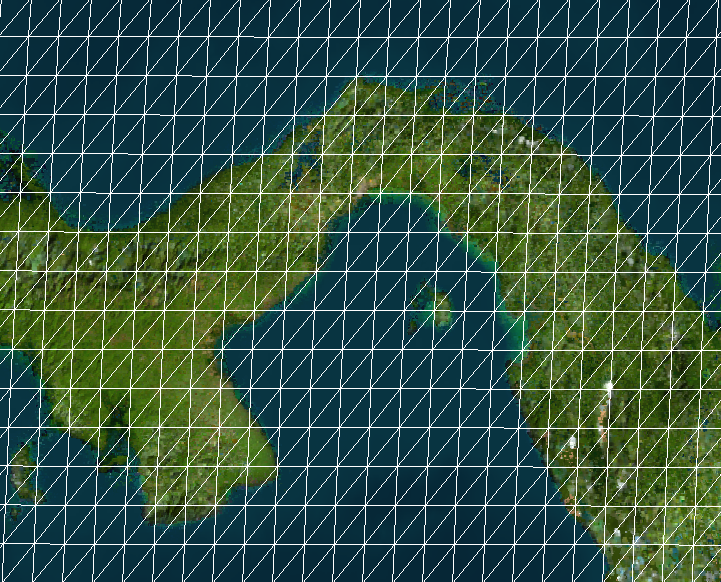
And I downloaded shapefiles from Natural Earth.
Each shape in the shapefile is a closed loop of coordinates, usually outlining a country.
For Panama that looks like (-77.353W, 8.671N), (-77.475W, 8.524N), (-77.243W, 7.935N), ....
So to draw Panama I need to project each of those coordinates (map each "source point" to each "target point"), and to do that I need to know which tiny triangle the source point belongs to and interpolate its target point exactly within the triangle.
In total there are 548,471 source points in the shapefile.
Interpolating
Let me pre-empt that second part of the problem: once we know the correct triangle for the point's spherical coordinates, we can interpolate its target euclidean coordinates using some determinant tricks I wrote about in my interpolation blog post 11 years ago. The determinants can also tell us whether a spherical triangle contains a point at all. This is computationally cheap. Pre-empted!
Finding the triangle
I iterated through some different approaches before I found a satisfyingly fast one.
-1. Brute brute force
This is -1 because I didn't actually try it; I knew I could easily do a bit better. But now I've implemented it to see how slow it would be.
The algorithm: for each source point, compute its determinants with all 1.9M triangles in a vectorized way and take the containing triangle.
This is  per source point.

So 4-5 source points processed per second - this would take a day and a half.
0. Less brute force
This was my real first approach.
Computing determinants is slightly expensive, so we can use a quick heuristic to filter the triangles down: consider only the ones that contain a point within  distance of the source point, where is the longest side of the triangle.
This is still but with a lower constant.
It typically brings us down to only ~5 triangles that we actually need to compute determinants for.
distance of the source point, where is the longest side of the triangle.
This is still but with a lower constant.
It typically brings us down to only ~5 triangles that we actually need to compute determinants for.
Our performance roughly doubles. Only 16 hours now:

1. Try last few triangles with fallback
This is a bit hacky: consecutive points in the shapefile are likely to fall in the same triangle (or another recent triangle), so we can keep a small cache of recent triangles and fallback to approach 0 if that fails.
This is technically still , but we can do a  path most of the time.
This further improves speed by several times. A mere 2 hours now:

2. KD Tree
Then I smartened up and brought in a data structure that was actually meant for this purpose: a KD tree to enable approximate nearest neighbors search between the source points and the centroids of the triangles.
Basically the KD tree is a binary tree of all the triangle centroids.
To traverse the tree, we start by taking the XYZ coordinates of our source point on the sphere.
We check the x coordinate of our source point against the root node, go to the left or right accordingly, compare the y coordinate of that child tree node, then the z node of its child, then the x coordinate of its child, and so forth.
When we get to a leaf node, we're likely to have something sorta close to our source point, and it only took us  time.
To obtain multiple guesses for the nearest triangles, we do a little exploration in the vicinity of that leaf node.
time.
To obtain multiple guesses for the nearest triangles, we do a little exploration in the vicinity of that leaf node.
Technically, using a KD tree for this problem is still because we have leaks.
With some probability our tree will give us the not-actually-nearest triangles, or the nearest triangles won't actually contain the source point.
Proximity to the triangle is only a heuristic for inclusion within the triangle, after all.
In these cases we need to fall back to brute force again.
But when we combine it with approach 1, these leaks happen extremely rarely, and our performance becomes even faster than I expected. It was over a 200x speedup, allowing me to compute the whole thing in 30 seconds:

Here's a video of it drawing in real-time:
3. Caching
Once we compute the correct triangle for each source point, we can save the answer in Pco files and reuse it.
I'd show you the progress bar in this case, but of course it no longer exists because the runtime becomes .
Reloading the Pco files takes only about 1ms.
Fast enough for easy iteration, I'd say.
Pedantic Clarifications
The shapes in the map I showed are de facto borders of widely recognized nations as provided by the Natural Earth data. They aren't an attempt at saying who should control an area, and they certainly aren't my opinions on the matter. Natural earth has a page with more detail.
Another question you might have is why I didn't need to solve this problem before, since I was projecting arbitrary images.
It's because for each triangle, I know the exact source and target coordinates of its vertices without any lookup; these were the parameters I trained, after all.
So I iterated through each triangle and projected its little chunk of the image using cv2.warpAffine; technically this isn't correct since the spherical triangle doesn't actually look like a triangle in the source equirectangular image.
I had some hacks to make it look better near the poles, which is also why I draw my lattice in a special yellow color there.
Actually, now that I think about it, I could have done another hack by building a source-image-sized grid whose values are triangle index, then lookup the gridded pixel for each source point in the shapefile.
But the solution I came up with in this post is perfectly precise, so I'm quite happy I went through the extra effort.
Another question you might have is why I couldn't start from a pre-drawn map of countries and use my existing stuff to project the image. Mainly it's because any borders or text would also get warped by the projection and look bad.